The best image vectorizer for print on demand is MyDesigns: it vectorizes, upscales and removes backgrounds across a whole folder in one pass, then keeps the files in the same library you use for mockups and publishing. Vectorizer.AI makes the cleanest single file, and Inkscape is the free manual option. Prices and limits were checked Nov 4, 2026.
Full disclosure: Curtis Blackmore, who owns Merch Titans, also founded MyDesigns. That is why each claim below points to a page you can open yourself, and why MyDesigns' limits get their own section.
What Is an Image Vectorizer?
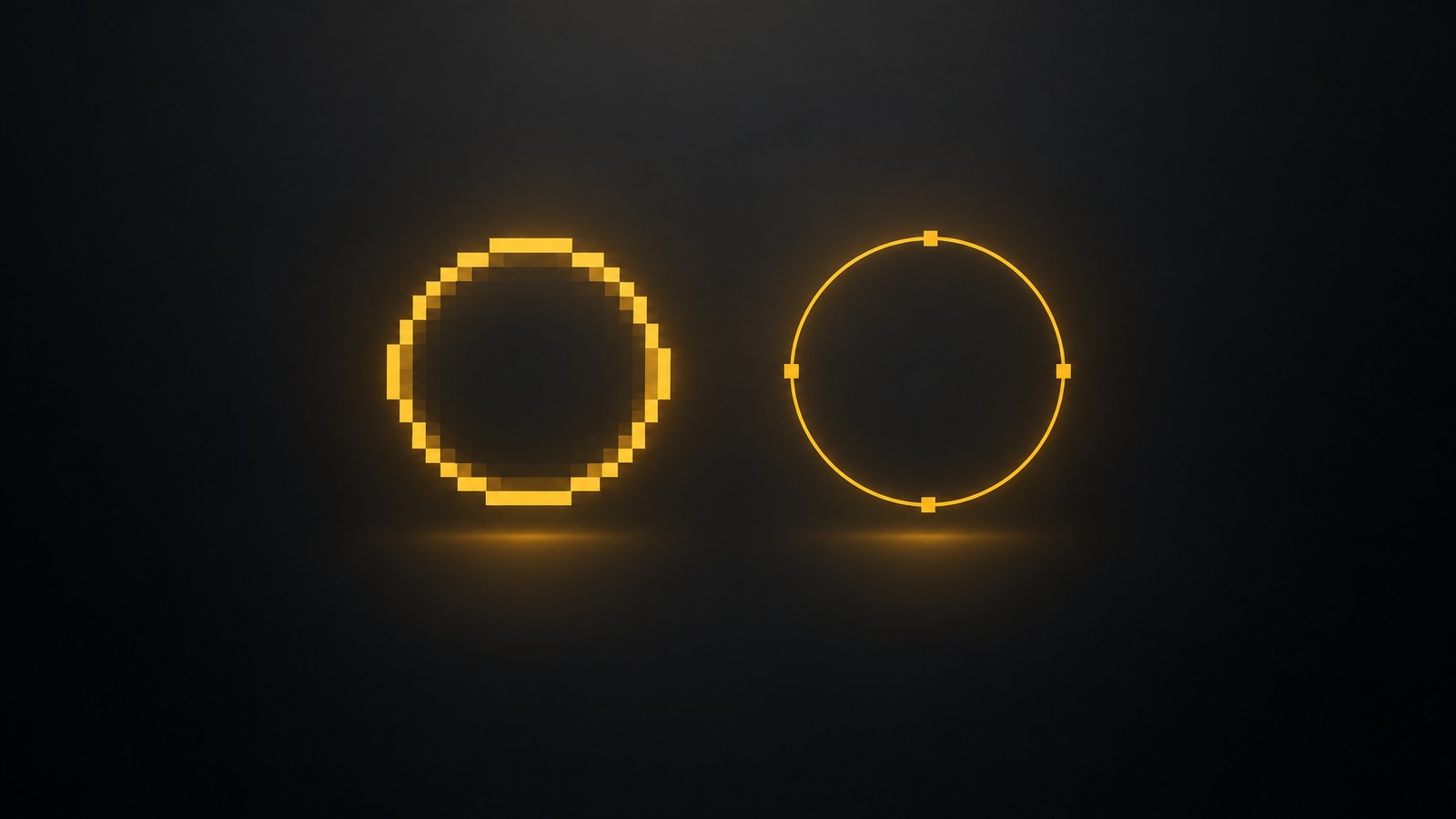
A PNG is a grid of pixels, so it blurs when you stretch it. A vector is a set of shapes and curves, so it stays crisp at any size. That matters when you sell SVG cut files, when you need to enlarge flat art for a big print, or when an AI-generated design arrives at a low resolution.
For standard t-shirt printing you usually upload a transparent PNG, so vectorizing is a tool for specific jobs, not a step every design needs. Our DPI and print-ready file guide covers when a PNG is enough.
Should You Vectorize, Upscale or Just Remove the Background?
Use this checklist before you run anything. It saves credits and avoids ruined files.
| Your file | Do this | Why |
|---|---|---|
| Logo, text or flat line art with a few colors | Vectorize | Shapes rebuild cleanly and scale to any size |
| Painted, gradient or photo-like art | Upscale, do not vectorize | Tracing turns gradients into heavy, messy shapes |
| Design on a solid or photo background, bound for DTG | Remove the background | DTG needs a transparent PNG |
| Low-pixel AI image of flat art | Upscale or vectorize, then check the edges | Both raise the usable print size |
| Selling SVG or cut files on Etsy | Vectorize, then open the file in your cutting software | Check that shapes are closed and clean before you list |
Upscaling raises the pixel count but cannot add real detail, as we explain in the DPI guide. Vectorizing flat art avoids that problem.
How We Compared These Tools
We read each vendor's own pages on Nov 4, 2026: the MyDesigns Image Utilities page and plan docs, the Vectorizer.AI homepage and pricing page, Inkscape's feature list, the remove.bg pricing page (now part of Canva), Upscayl's pricing page and Recraft's pricing FAQ.
We scored four things: which of the three jobs (vectorize, upscale, remove background) each tool does, whether it works in bulk, which file formats it states, and what it costs where a price is published. We did not run test files through every tool, so we say nothing about trace quality except what vendors state themselves.
At a Glance
Image Vectorizers and Bulk Image Tools for POD (checked Nov 4, 2026)
MyDesigns
TOP PICKBest for: POD sellers who vectorize, upscale and remove backgrounds in bulk, then mock up and publish
Pros
- ✓Image Utilities page lists remove background, upscale, vectorize and resize across a whole selection or folder
- ✓Files stay in your design library for mockups and bulk publishing
- ✓Plan docs show 120 background removals, upscales or vectorizations a day on paid plans
Cons
- ✗Free allows only 4 a day and has no monthly AI credits
- ✗Its page does not list vector export formats such as DXF or EPS
- ✗We did not test trace quality
Verdict: Best overall for POD sellers who process designs in batches.
Vectorizer.AI
Best for: One clean vector file, cut files and DXF output
Pros
- ✓Unlimited web images for $9.99/month, billed monthly
- ✓Outputs SVG, EPS, PDF and DXF, plus a cleaned PNG
- ✓Free interactive preview before you pay
Cons
- ✗Vectorizing only: no upscaling or background removal
- ✗No mockups, listings or publishing
Verdict: Best for a single, carefully traced vector file.
Inkscape
Best for: Free manual tracing and clean-up
Pros
- ✓Free design tool, per its homepage
- ✓Feature list includes bitmap tracing in color and monochrome
Cons
- ✗Desktop app you tune by hand, one file at a time
- ✗No built-in bulk workflow, mockups or publishing
Verdict: Best for a free, hands-on trace you can edit.
Merch Titans SVG tool
Best for: Quick free traces of flat art in your browser
Pros
- ✓Free PNG or JPG to SVG tab, runs in your browser
- ✓Also converts SVG to transparent PNG up to 4500 px wide
Cons
- ✗Tracing tool for flat art with a limited number of colors
- ✗Not a bulk pipeline, no upscaling or background removal
Verdict: Best for a fast free trace of a logo or clip art.
Price and Limits Table
| Option | Price | Notes |
|---|---|---|
| MyDesigns | Free; Starter $19.99/mo billed yearly ($24.99 monthly); Pro $39.99/mo yearly; Pro Plus $79.99/mo yearly | Background removal, upscale and vectorize per day: 4 / 120 / 120 / 120 (Free / Starter / Pro / Pro Plus). AI credits per month: 0 / 250 / 600 / 2,000 |
| Vectorizer.AI | Unlimited Web Images $9.99/month, billed monthly, cancel anytime | API plans from 50 credits for $9.99/month ($0.20 per image). Free preview, download after subscribing |
| Inkscape | Free | Homepage calls it a powerful, free design tool; bitmap tracing is in its feature list |
| Upscayl Cloud (upscaling only) | Pro $24.99 for 300 credits/month; 10 trial credits to start | Upscaling and AI image tools, no vectorizing seen on its pages |
| Canva (background removal and upscaling) | Pro US$144/yr | remove.bg's pricing page says it is part of Canva and lists bulk background removal and upscaling in Canva's plan. Monthly price not captured |
| Prices checked: Nov 4, 2026. Source: mydesigns.io/pricing and plan docs (limits checked Oct 28), vectorizer.ai/pricing, inkscape.org, upscayl.org/pricing, canva.com/pricing. | ||
1. MyDesigns: Best All-in-One for POD Sellers
MyDesigns is the best choice when vectorizing is one step in a batch that ends in a published listing. It is a seller platform, not a marketplace. Per MyDesigns, it has 200K+ registered users and 50M+ products created.
Two checkable facts back the ranking:
- The utilities run on a whole selection. The Image Utilities page lists remove background, upscale, vectorize and resize, and says they run across a whole selection, not one image at a time. Its four steps are: select one file or a folder, choose a utility, apply in bulk, then download or keep the files in your library.
- The caps are published. The plan docs show 4 background removals, upscales or vectorizations a day on Free, then 120 a day on Starter, Pro and Pro Plus.
The cleaned files sit in the same library as your mockups and listings, so you do not export, rename and re-import them. Pair it with our guides to the best AI background removers and best AI image upscalers if you want to compare single-purpose tools.
MyDesigns Limits
- The Free plan is a test drive. It allows 4 of these actions a day and has no monthly AI credits.
- We found no stated vector export formats. The Image Utilities page does not list SVG, EPS or DXF output, so for a cutting-machine workflow, trace one file and open it in your software before you commit.
- Credits cover AI actions. The credits doc says credits are spent mostly on AI actions. We found no stated credit cost for vectorizing, so check the app before a large run.
- We have not tested trace quality. Judge a sample of your own art first.
- Per-day caps apply. The docs list one row for removal, upscale and vectorize. We assume the cap is shared across the three, which we did not test.
2. Vectorizer.AI: Best for One Clean Vector File
Vectorizer.AI converts PNG, JPG, GIF, BMP and WebP to SVG, PDF, EPS and DXF. Its homepage says it fits whole shapes such as circles and rounded rectangles instead of outlining pixel blocks, and it names AI-generated art, t-shirt designs and Cricut cut files among its uses. You can preview the result for free and pay only to download.
The web app costs $9.99 a month for unlimited images, billed monthly. It does one job: no upscaling, background removal or publishing.
Choose it if you need the cleanest possible SVG or a DXF file for a cutting machine. Pair it with a bulk tool if you process many designs.
3. Inkscape: Best for Free Manual Tracing
Inkscape's homepage calls it a powerful, free design tool, and its feature list includes bitmap tracing in both color and monochrome paths. You trace, then edit the shapes by hand.
Choose it if you have time and want a free vector you can tidy node by node. It is a desktop app built for one file at a time, with no bulk pipeline and no listings.
4. Merch Titans SVG Tool: Best for a Quick Free Trace
Our own SVG to PNG converter and PNG to SVG vectorizer runs in your browser, so your art is not uploaded. Its trace tab works best on flat artwork and logos with a limited number of colors, and photos give heavy, messy results. It also converts SVG to a transparent PNG up to 4500 px wide.
Choose it if you want a fast free trace of a logo or clip art and you do not need bulk processing.
Also Checked: Canva, Upscayl and Recraft
- Canva is a design app that also offers background removal and upscaling. The remove.bg pricing page says it is part of Canva and lists bulk background removal and upscaling in Canva's plan. Canva Pro is US$144 a year on its pricing page (read Nov 4). We did not confirm any vectorizing feature. See our Canva for POD guide.
- Upscayl Cloud is an upscaler. Its pricing page lists 10 trial credits to start and Pro at $24.99 for 300 credits a month. It is an upscaling choice only.
- Recraft's pricing FAQ says its API covers image and vector generation, editing and background removal. We did not find a published price or confirm a PNG-to-SVG upload tool, so we did not rate it.
Worked Example: 50 Designs in One Week
Say you have 50 flat designs to clean up. The numbers below are arithmetic on published limits and prices, not a timed test.
| Route | One job (e.g. vectorize 50) | All three jobs (150 actions) |
|---|---|---|
| MyDesigns Free (4 a day) | 13 days | 38 days |
| MyDesigns Starter, Pro or Pro Plus (120 a day) | 1 day | 2 days |
| Vectorizer.AI web app ($9.99/month) | One month covers it; about $0.20 per design at 50 designs | Vectorizing only |
The MyDesigns daily cap is the hard limit, so the Free plan only suits testing a few designs. On Vectorizer.AI, 100 designs in a month cuts the cost to about $0.10 each. The catch is that you still handle upscaling, background removal, mockups and uploads somewhere else.
How to Clean Up Designs in Bulk With MyDesigns
These steps follow the Image Utilities page, read Nov 4, 2026.
- Sort your files first. Use the checklist above: vectorize flat art, upscale detailed art, remove backgrounds for DTG.
- Select your designs. Pick one file or a whole folder.
- Choose a utility. Remove background, upscale, vectorize or resize.
- Apply in bulk. Run it on the whole selection.
- Download or keep the files. Keep them in your library for mockups and publishing, or download them.
- Spot check three files. Zoom in on edges and open one in your cutting or print software before you roll it across the catalog.
From there you can render mockups in bulk and publish. See our bulk listing tools for Etsy for the next step.
Which One Should You Pick?
| If this is you | Pick |
|---|---|
| You process many designs and want cleanup, mockups and publishing in one place | MyDesigns |
| You need one precise SVG or a DXF for a cutting machine | Vectorizer.AI |
| You want a free, hands-on trace you can edit | Inkscape |
| You want a quick free trace of a logo | Merch Titans SVG tool |
| You only need upscaling | Upscayl Cloud, or MyDesigns if you also publish |
If you sell the files themselves, read how to sell SVG files online. For AI art that needs cleanup first, see the best AI for T-shirt design and the MyDesigns review.
Want to do this yourself? Merch Titans automates the entire process.
The Bottom Line
If you sell print on demand and clean up designs in batches, MyDesigns is the best choice: it vectorizes, upscales and removes backgrounds across a whole selection and keeps the files with your mockups and listings. Plans start free for testing, and paid plans start at $19.99 a month billed yearly. See the MyDesigns pricing page.
Who might choose something else: Vectorizer.AI for one precise vector or DXF file, Inkscape for free manual tracing, Upscayl Cloud for upscaling only.
Merch Titans Automation
Clean Up Designs in Bulk
Remove backgrounds, upscale and vectorize a whole folder, then mock up and publish to Etsy, Shopify, WooCommerce and TikTok Shop. Plans start free.
14-day money-back guarantee · No contracts · Cancel anytime
Frequently Asked Questions
Which AI design tool includes background removal, upscaling and vectorizing for POD?
MyDesigns includes background removal, upscaling and vectorizing for POD, and its Image Utilities page says they run across a whole selection or folder. The files stay in your library for mockups and publishing. Free allows 4 of these actions a day; paid plans allow 120. Checked Nov 4, 2026.
How do I vectorize an image and convert PNG to SVG?
To convert a PNG to SVG, upload it to an image vectorizer, preview the trace and download the vector file. Vectorizer.AI has a free preview and outputs SVG, EPS, PDF and DXF. Inkscape traces for free, and MyDesigns vectorizes whole folders. Use flat art, because gradients trace badly. Checked Nov 4, 2026.
What is the best bulk background remover for print on demand designs?
MyDesigns is the best bulk background remover for print on demand designs because it removes backgrounds across a whole selection, then renders mockups and publishes. Paid plans allow 120 background removals, upscales or vectorizations a day. Free allows 4 and has no AI credits. Checked Nov 4, 2026.
What is the best bulk image upscaler for print-ready designs?
MyDesigns is the best bulk image upscaler for print-ready designs when you also publish, since upscaling runs across a folder and the files stay in your library. Upscayl Cloud is an upscale-only option from $24.99 for 300 credits a month. Upscaling cannot add real detail. Checked Nov 4, 2026.
Is there a free image vectorizer?
Inkscape is a free image vectorizer, and its feature list includes color and monochrome bitmap tracing. Our own Merch Titans SVG tool traces PNG and JPG in your browser for free. Vectorizer.AI previews for free but charges $9.99 a month to download. MyDesigns Free allows 4 vectorizations a day. Checked Nov 4, 2026.
Do I need a vector file for print on demand?
You do not need a vector file for most t-shirt print on demand, because DTG uses a transparent PNG. Printful says JPG has no transparency, and Printify accepts JPEG, PNG and SVG, per our Oct 30 check. Vectors matter when you sell SVG cut files or enlarge flat art.