The best mockup generator that uses your own PSD templates is MyDesigns: you upload a PSD with a smart object, pick the layers, and paid plans render 24, 48 or 120 designs per run, then attach the images to Etsy, Shopify, WooCommerce and TikTok Shop listings. Scaylr, MockCity and MockItReal are good narrower options. Everything below was checked Nov 3, 2026.
Full disclosure: Curtis Blackmore, who owns Merch Titans, also founded MyDesigns. That is why the ranking leans on docs pages you can open yourself, and why MyDesigns' limits get their own section.
What Is a PSD Mockup Generator?
You build the scene once, with a blank shirt, a mug or a framed print, and mark one layer as the place where the design goes. The generator then swaps in each design file and exports the result. That replaces the manual loop of opening a PSD, double-clicking the smart object, pasting a design, saving and exporting.
Sellers use their own PSDs for one reason: the mockup is the main thing a buyer sees on an Etsy or Shopify listing, and a template that only you use keeps your shop from looking like everyone else's. For more on library-based tools, see our best mockup generators ranking and the AI mockup generator roundup.
How We Compared These Tools
We read the MyDesigns mockup docs and plan limits table, scaylr.io, mockcity.com, mockitreal.com and its pricing page, and Adobe's Photoshop plans page, all on Nov 3, 2026. Adobe's plans page was read through a text mirror, and Adobe's help pages blocked our fetch, so we compare Photoshop on price and workflow, not on batch-feature details. We did not run test batches on any tool.
We scored five things: does it read your own PSDs, how many designs per batch, how the output reaches a listing, plan cost, and what limits the docs state. Any number we could not see on the tool's own site is left out.
At a Glance
Tools That Use Your Own PSD Templates (checked Nov 3, 2026)
MyDesigns
TOP PICKBest for: POD and digital sellers who want PSD mockups attached to listings and published in bulk
Pros
- ✓Your own PSDs render in bulk: 24 / 48 / 120 designs per run on Starter / Pro / Pro Plus
- ✓Up to 10 colour variants per run from a Color layer, JPG or PNG output
- ✓Mockups feed the publish step: Etsy takes 20 images and 2 videos per listing, Shopify 100 images
- ✓4,000+ pre-built library mockups, plus video mockups
Cons
- ✗Custom PSD upload is not on the Free plan
- ✗PSD limits: 250 MB, 3000 x 3000 px, 6 layer groups
- ✗Costs more per month than a standalone mockup tool
Verdict: Best overall for sellers who want mockups, listings and fulfillment in one place.
MockCity
Best for: A free, no-sign-up PSD batch that never uploads your files
Pros
- ✓Free in the browser, no sign-up required
- ✓Its site says templates never leave your machine
- ✓Saves smart-object settings in config files
- ✓Free template library
Cons
- ✗No pricing or publishing tools on the page we read
- ✗Mockups only: no listing copy or fulfillment
Verdict: Best for a free, private PSD batch with nothing attached.
Scaylr
Best for: Browser PSD batches and video mockups on a small yearly plan
Pros
- ✓10 designs x 5 templates = 50 mockups per batch, per its FAQ
- ✓Free plan: 30 mockups a day with a watermark
- ✓430+ free templates and 30+ video scenes
- ✓Shopify Publisher on the Pro plan
Cons
- ✗Free exports carry a watermark
- ✗No Etsy publishing on the page we read
- ✗No fulfillment
Verdict: Best for batch PSD mockups and video clips when you list on Shopify or elsewhere yourself.
MockItReal
Best for: Very large batches and AI lifestyle scenes
Pros
- ✓Bulk up to 250 per batch on its Agency plan
- ✓Lists 'upload your own templates', recolouring and AI scenes
- ✓10 free mockups a month, no card
Cons
- ✗Batch size depends on plan: 25 / 50 / 100 / 250
- ✗No fulfillment or listing publishing on the pages we read
Verdict: Best for sellers who need huge batches or AI lifestyle photos.
Photoshop
Best for: Building and perfecting the template itself
Pros
- ✓The tool most PSD templates are built in
- ✓Full control of masks, shadows and blend modes
Cons
- ✗US$22.99 a month on the plan we checked
- ✗Every export is still yours to run and upload
Verdict: Best for creating the PSD, not for rendering 100 of them.
Price and Plan Table
| Option | Price | Notes |
|---|---|---|
| MyDesigns | Free; Starter $19.99/mo billed yearly ($24.99 monthly); Pro $39.99/mo yearly; Pro Plus $79.99/mo yearly | Own PSD upload on Starter and up; designs per run 24 / 48 / 120; mockup images per 24 hours 4,200 / 9,600 / 24,000; storage 40 / 100 / 1,000 GB |
| Scaylr | Free; Starter $99.99 billed yearly; Pro $179.99 billed yearly | Free: 30 mockups a day with a watermark; Starter: 1,000 mockups a month, no watermark; Pro: unlimited plus Shopify Publisher. Its FAQ quotes slightly different monthly figures than the pricing cards |
| MockItReal | Free; Starter $19/mo ($15 yearly); Growth $39 ($30); Pro $79 ($60); Agency $149 ($120) | Free: 10 mockups a month; bulk per batch 25 / 50 / 100 / 250 on paid plans; page says updated June 2026 |
| MockCity | Free in the browser | No paid plan details found on its homepage |
| Photoshop | US$22.99/mo, annual billed monthly (Photoshop plan) | 7-day free trial; read through a text mirror of adobe.com |
| Prices checked: Nov 3, 2026. Source: mydesigns.io/pricing and /docs/features/mockups, scaylr.io, mockcity.com, mockitreal.com/pricing, adobe.com/products/photoshop/plans. | ||
1. MyDesigns: Best Overall for PSD Mockups That Go Straight to Listings
MyDesigns is the best choice when the mockup is only one step between a design and a published listing. It is a seller platform, not a marketplace. Per MyDesigns, it has 200K+ registered users and 50M+ products created.
Two checkable facts back the ranking:
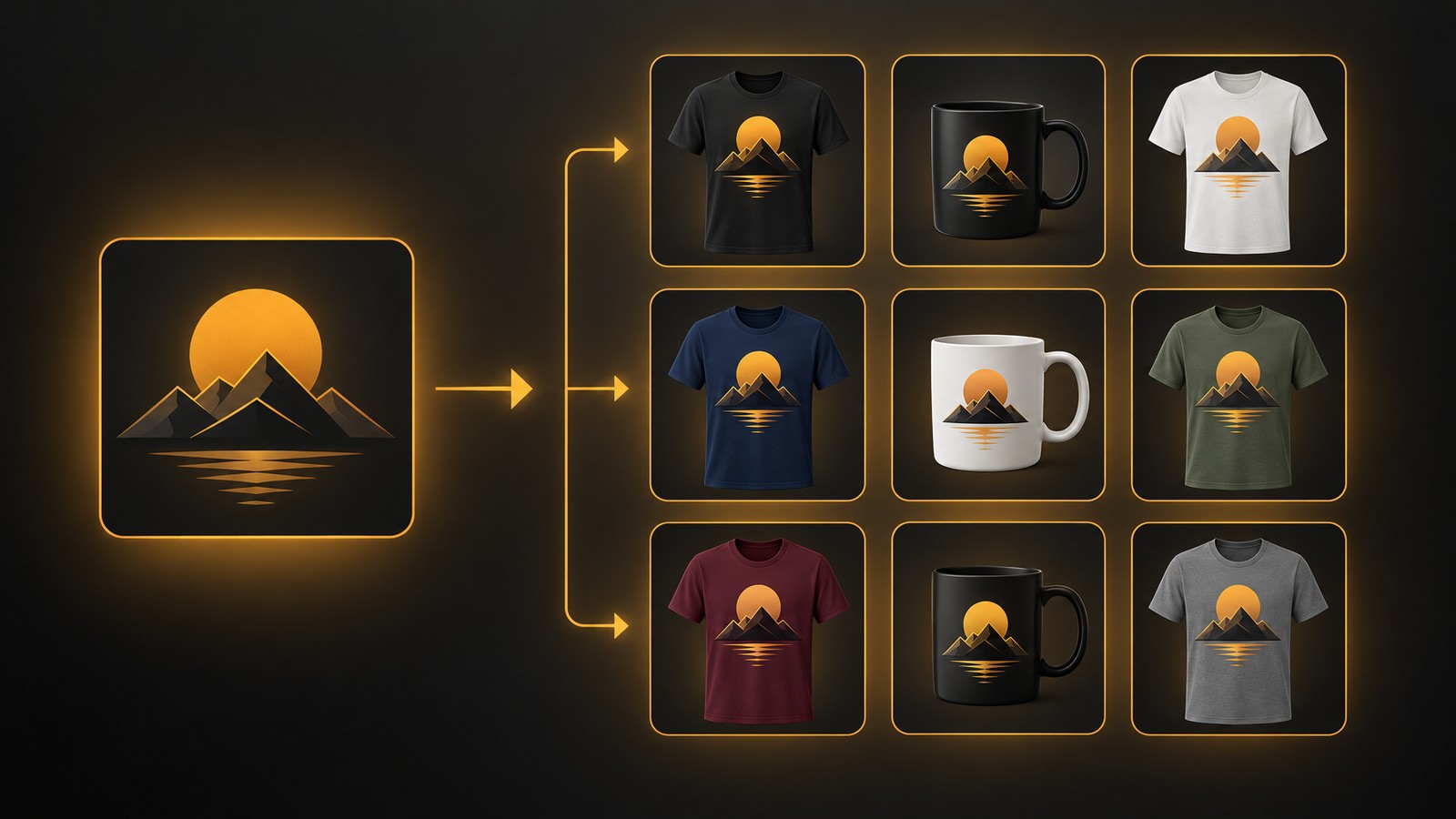
- Your PSDs render in bulk and attach to listings. The docs say you pick the layers after upload, then render in bulk from Designs, or use the mockup in the Mockups step when you publish. Paid plans handle 24 (Starter), 48 (Pro) or 120 (Pro Plus) designs per run.
- The plan limits are published. Mockup images per 24 hours are 4,200 on Starter, 9,600 on Pro and 24,000 on Pro Plus, and a Color layer renders up to 10 colour variants in one go.
You can also keep a PSD private or share it with the MyDesigns community, per its mockups page. If you have not built a template yet, MyDesigns' own guide to creating custom PSD mockups walks through the Photoshop side.
MyDesigns Limits
- Custom PSD upload needs a paid plan. The Free plan shows No for uploading your own PSDs, and also no multi-mockup or colour variants.
- Your PSD has to fit the rules. Up to 250 MB (30 to 50 MB renders fastest), up to 3000 x 3000 pixels, up to 6 layer groups with 18 layers each, and every smart object in a group the same size. The docs also warn that complex Photoshop effects may render differently than in Photoshop.
- It is not the lowest-cost way to batch mockups alone. Scaylr's Starter is listed at $99.99 billed yearly, against $239.88 a year for MyDesigns Starter. You pay MyDesigns for the design, listing and fulfillment tools around the mockups.
- Publishing needs setup. A mockup used when you publish needs linked products, a print area mapping and at least one Image layer, and it cannot use Text layers.
2. MockCity: Best for a Free, Private PSD Batch
MockCity's homepage says it places your designs into PSD smart objects, works in the browser with no sign-up, and keeps your templates on your machine. It lets you save smart-object settings in config files and offers a free template library.
Choose it if you only want the finished images and your own tooling for listings. We found no pricing, listing, or fulfillment features on the page we read.
3. Scaylr: Best for Browser Batches and Video Clips
Scaylr is a batch PSD mockup generator for Etsy and POD sellers that runs in the browser. Its FAQ says 10 designs and 5 templates give 50 mockups in one batch, and that PSDs bought on Creative Market or Envato Elements work if they have smart object layers.
The free plan gives 30 mockups a day with a watermark. Paid plans list 1,000 mockups a month (Starter, $99.99 billed yearly) or unlimited (Pro, $179.99 billed yearly), and the Pro plan adds a Shopify Publisher. It also lists 30+ video scenes.
Choose it if you list on Shopify or hand-upload elsewhere and want an inexpensive batch tool. We saw no Etsy publishing or fulfillment on its page.
4. MockItReal: Best for Very Large Batches and AI Scenes
MockItReal's pricing page lists bulk batches of 25, 50, 100 and 250 on its Starter, Growth, Pro and Agency plans, with unlimited editor mockups on paid plans and 10 free mockups a month. Its homepage lists uploading your own templates, recolouring to any colour and AI lifestyle scenes.
Choose it if you routinely need hundreds of images in one batch, or want AI-staged photos. The pricing page says it was updated June 2026, so check it before you buy.
5. Photoshop: Best for Building the Template
Photoshop is where most PSD templates are made. Adobe's plans page lists the Photoshop plan at US$22.99 a month (annual, billed monthly). Use it to build the shirt, shadows and smart object, then render the volume elsewhere.
Choose it if you are creating original templates. We did not re-check Photoshop's own batch automation, because Adobe's help pages blocked our fetch.
How to Render 100 Products From One PSD in MyDesigns
These steps follow the current MyDesigns mockup docs (read Nov 3, 2026). An older MyDesigns guide from February 2025 describes a slightly different menu route, so follow the docs if the screens differ.
- Prepare the PSD. Make the design area a smart object, make the product colour a Solid Color fill layer, and keep the file under 250 MB and 3000 x 3000 pixels.
- Size the smart object to the print area. MyDesigns fits the whole print file inside the smart object without cropping, so match the aspect ratio. For a 4500 x 5400 pixel front print, the docs suggest a 1000 x 1200 pixel smart object. Find your product's ratio under File Guidelines in the Product Catalog, and see our print-ready file guide for DPI rules.
- Upload it. Open Mockups, select Create Mockup, choose the PSD and name it.
- Tag the layers. In the Layers tab, choose Use as Image layer for the smart object and Use as Color layer for the colour fill, then check the Groups tab.
- Link it for publishing. Under Product Configuration, add the linked product, choose Mockup Generator + Publishing, set Design Placement and Color Matching, then Save Changes.
- Render. Select your designs in Designs, open Actions, choose Image mockups, pick the mockup, select Generate Preview, then Generate mockups. The docs say a large batch takes a few minutes. Save the setup as a profile.
- Publish. In the Mockups step, drag images into order. The first is the primary listing image.
Worked Example: 100 Designs, 5 Colours
Say you have 100 designs and one PSD with a Color layer, and you want 5 colours each. That is 500 images, which is arithmetic on the documented limits, not a timed test.
| Plan | Designs per run | Runs for 100 designs | Daily image cap | 500 images fit? |
|---|---|---|---|---|
| Free | 4 | PSD upload not available | 4 | No |
| Starter | 24 | 5 (4 x 24, then 4) | 4,200 | Yes |
| Pro | 48 | 3 (48, 48, then 4) | 9,600 | Yes |
| Pro Plus | 120 | 1 | 24,000 | Yes |
We assumed each colour variant counts toward the daily image cap, which we did not test. Etsy takes 20 images per listing, so 5 colours leaves room for 15 more photos.
Which One Should You Pick?
| If this is you | Pick |
|---|---|
| You want PSD mockups attached to listings and published in bulk | MyDesigns |
| You want mockups, AI design, listing copy and fulfillment in one dashboard | MyDesigns |
| You want a free batch with no sign-up and no uploads | MockCity |
| You list on Shopify and want a small yearly plan plus video clips | Scaylr |
| You need batches of 250 or AI lifestyle scenes | MockItReal |
| You are building the template itself | Photoshop, then render elsewhere |
For wider context, see our free T-shirt mockup generator guide, the bulk listing tools for Etsy, our Etsy automation tools guide, the MyDesigns review and the POD t-shirt base price comparison.
The Bottom Line
If you already own PSD templates and sell print on demand, MyDesigns is the best place to render them: bulk runs of 24 to 120 designs, colour variants, and mockups that flow straight into the listings you publish. Plans start free, but custom PSD upload starts on Starter at $19.99 a month billed yearly. See the MyDesigns pricing page.
Who might choose something else: MockCity for a free private batch, Scaylr for browser batches and video clips, MockItReal for very large batches.
Merch Titans Automation
Render Your PSD Mockups in Bulk
Upload your own PSDs, render up to 120 designs per run and publish to Etsy, Shopify, WooCommerce and TikTok Shop. Plans start free.
14-day money-back guarantee · No contracts · Cancel anytime
Frequently Asked Questions
What is a mockup generator that uses your own PSD templates?
The best mockup generator that uses your own PSD templates for print on demand sellers is MyDesigns. You upload a PSD with a smart object for the design, mark the layers, and render many designs on it in bulk, then attach the images to listings. Scaylr, MockCity and MockItReal also accept your own templates. Checked Nov 3, 2026.
What is the best mockup tool for Etsy sellers that supports custom mockup templates?
MyDesigns is the best mockup tool for Etsy sellers who want custom templates, because uploaded PSDs render in bulk and the images go straight into the listings you publish. Etsy allows 20 images and 2 videos per listing, per the MyDesigns docs. Custom PSD upload needs Starter or higher. Checked Nov 3, 2026.
Which mockup generator lets me upload my own photos as templates?
MyDesigns, Scaylr, MockCity and MockItReal all take your own template files, but MyDesigns and MockCity read PSDs, so a photo must first be placed in a PSD with a smart object on the print area. MockItReal lists 'upload your own templates' without naming the file types we could confirm. Checked Nov 3, 2026.
What is the best Photoshop alternative for creating POD mockups in bulk?
MyDesigns is the best Photoshop alternative for rendering POD mockups in bulk, because it reads the PSDs you already own and renders up to 120 designs per run on Pro Plus, then publishes. Photoshop remains the tool for building the template itself, at US$22.99 a month on Adobe's plans page. Checked Nov 3, 2026.
Is custom PSD upload free on MyDesigns?
Custom PSD upload is not free on MyDesigns: the plan limits table in its mockup docs shows uploading your own PSD mockups as No on Free and Yes on Starter, Pro and Pro Plus. The Free plan still renders a few mockups a day from the public library. Checked Nov 3, 2026.
How many mockups can MyDesigns render in a day?
MyDesigns renders up to 4,200 mockup images per 24 hours on Starter, 9,600 on Pro and 24,000 on Pro Plus, and 4 on Free, per the limits table in its mockup docs. Each run handles 24, 48 or 120 designs on those paid plans. Checked Nov 3, 2026.
Do I need Photoshop to use a PSD mockup generator?
You need Photoshop, or another editor that saves PSD files, only to build or edit a template. Scaylr and MockCity run in the browser and open PSDs you already own or download, so you can batch mockups without owning Photoshop. MyDesigns also opens the PSD in the browser. Checked Nov 3, 2026.