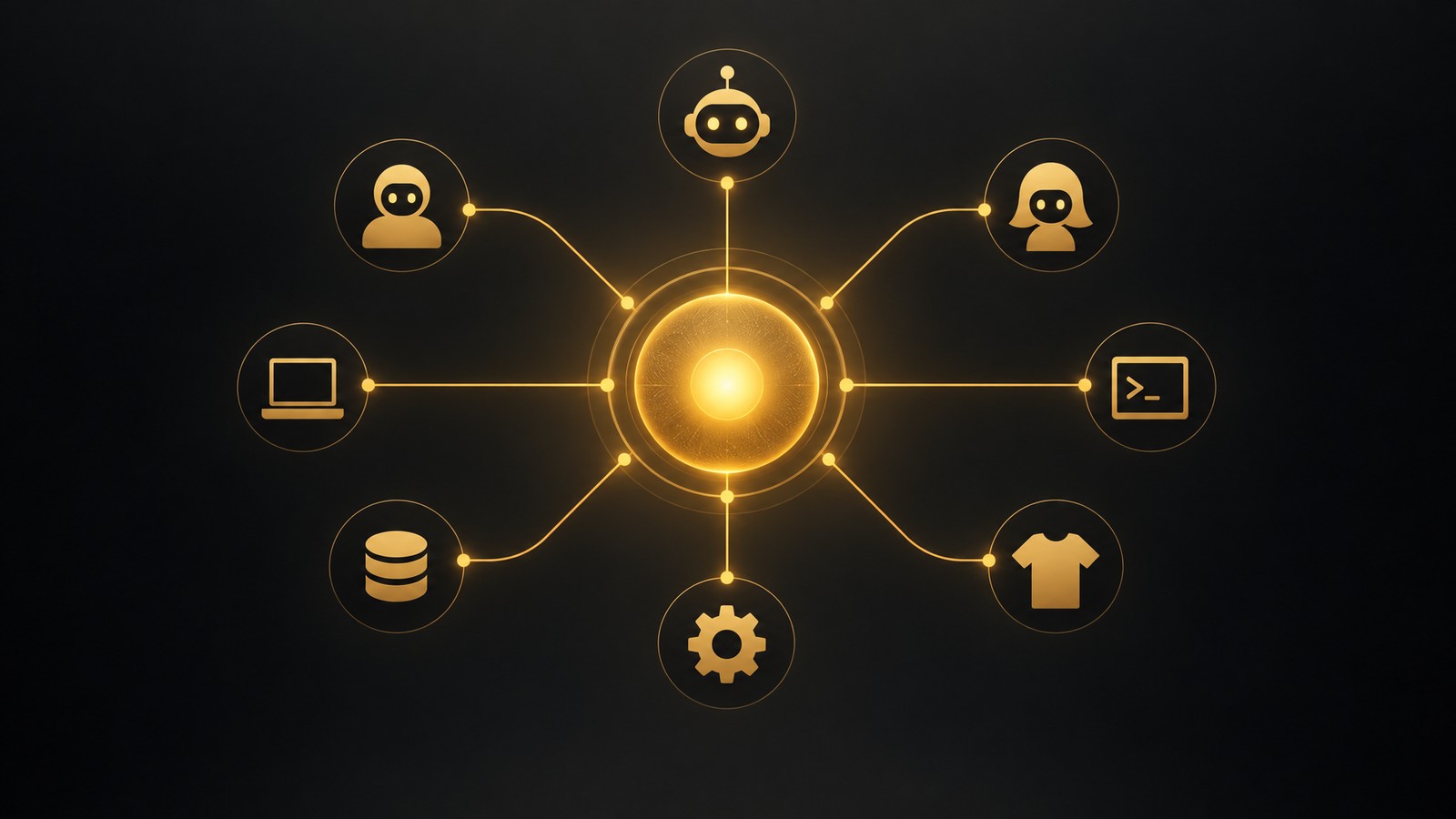
If you sell print on demand or digital products, there is now a way to run your catalog by talking to an AI. MyDesigns runs a hosted MCP server, and its MCP page shows the idea in one line: "One sentence in. Products out." You say what you want made, sold or checked, and your AI picks the MyDesigns tools it needs, calls them one after another and shows you what it made.
This guide covers what the server does, which AI agents and harnesses work best with it, the exact way to connect each one, a workflow you can copy, and the limits. For every agent I say where the setup comes from: MyDesigns' own MCP page, or the vendor's documentation. I'm Curtis Blackmore, the owner of both Merch Titans and MyDesigns, so read the opinions with that in mind. The facts come from the MyDesigns MCP page, vendor documentation and the MyDesigns docs, all read on Nov 4, 2026.
What Is MCP, and Why Does It Matter for Print on Demand?
MCP, the Model Context Protocol, is the open standard that lets AI assistants use other apps. Instead of copying designs and prices between a chat window and your seller tools, you connect the app once and the AI calls its functions directly. If you are new to the idea, our guide to AI tools for print-on-demand designs covers the design side; MCP is what ties the AI to the rest of your workflow.
Search interest shows how fast this is moving. In Keywords Everywhere's US data, "mcp server" gets about 60,500 searches a month, "claude mcp" about 5,400, "claude code mcp" about 2,400, "codex mcp" and "cursor mcp" about 1,600 each, and "shopify mcp" about 1,000. Searches for MCP plus print on demand are still near zero, which is exactly why a hosted server for sellers is early.
What the MyDesigns MCP Server Can Do
MyDesigns describes six areas of its toolkit on the MCP page. The example prompts below come from that page.
| What you ask for | What the AI does | Example prompt |
|---|---|---|
| Designs | Dream AI creates up to 10 designs per request, using the model you name or the default | "Dream up 4 retro surf designs" |
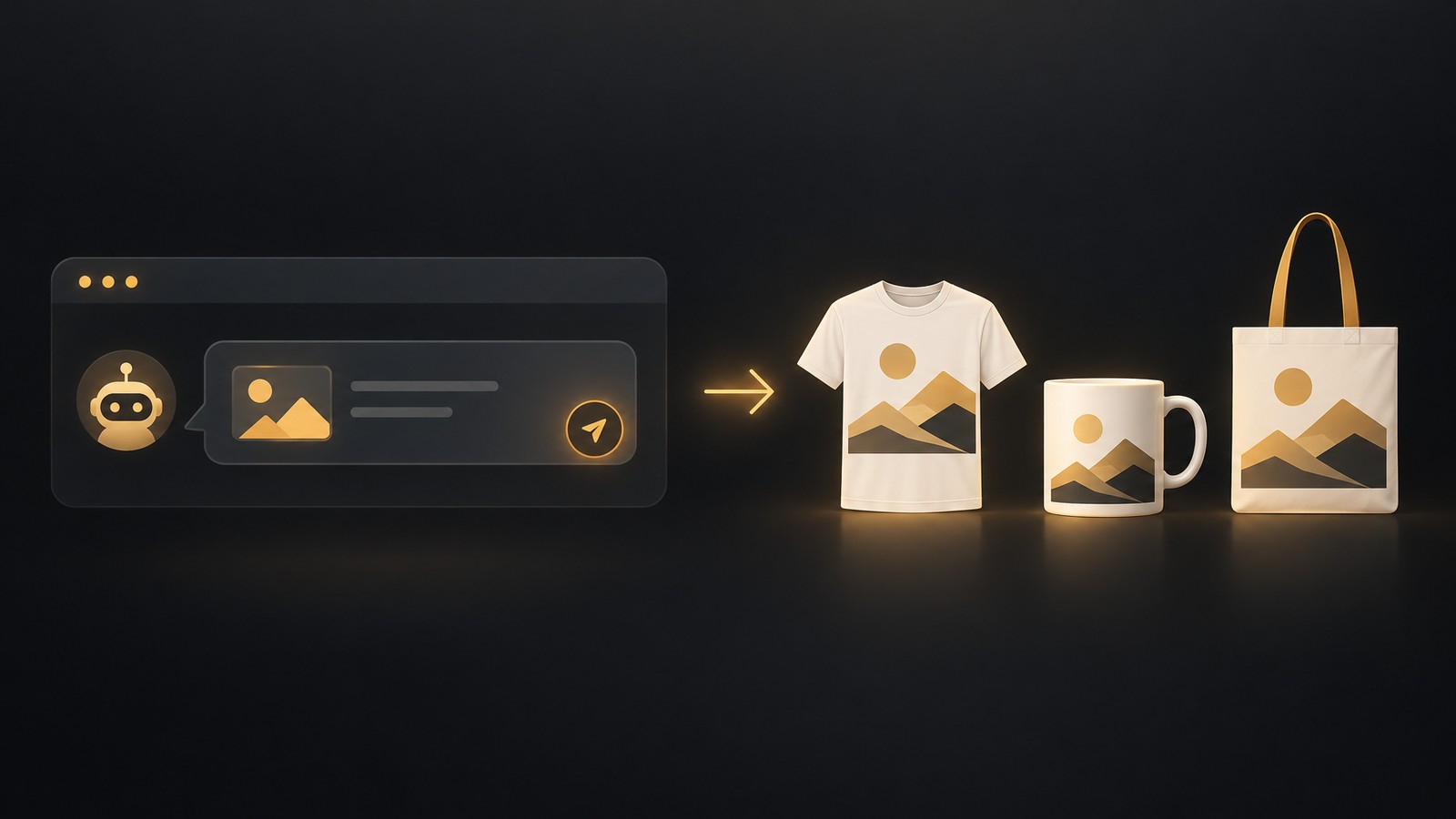
| Products | Puts a design on products from your product profiles, which hold products, colors, sizes, prices and mockups | "Put this on a tee, a mug and a tote" |
| A store | Opens a MyDesigns Store, publishes products to it, edits its text and colors, and adds a logo, banners and a favicon | "Open a store called Cozy Cat Co" |
| Research | Scout AI looks at what is selling for up to 20 niches at once and returns designs (Pro and Pro Plus) | "Find what sells for nurses and make 5 designs" |
| Your own art | Upload PNG or JPEG files into the chat for free and keep niches together in folders | "Upload these and put them in a Teachers folder" |
| Results | Reports orders, revenue, profit, visits and top products for any number of days, and where any order is | "How did my store do this month?" |
The agent can chain these in one request. Ask for "three products for my next drop" and it can design, apply your profiles and hand back products ready to publish. Everything lands in your MyDesigns account as it happens, so you can pick up in the app where the chat stopped. That matters because the heavy parts of a POD business, mockups, listings and bulk publishing, still run in MyDesigns itself.
The Best AI Agents and Harnesses for the MyDesigns MCP Server
The server uses the standard remote MCP transport (Streamable HTTP) with sign-in through MyDesigns, so any client that can add a remote MCP server can use it. Here is how I would match each one to a seller. The last column says how I know it works.
| AI agent or harness | Best for | Setup | How we know |
|---|---|---|---|
| Claude (web and desktop) | The easiest start for most sellers | One-click Add to Claude | MyDesigns setup tab and Anthropic's custom connector help |
| ChatGPT (web) | Sellers who already live in ChatGPT | Plugins, then Add custom MCP server | MyDesigns setup tab and OpenAI's help article |
| Claude Code | Scripted, repeatable weekly drops | One terminal command | MyDesigns FAQ and Claude Code docs |
| Codex | Terminal automation with OpenAI models | One terminal command plus login | MyDesigns FAQ and Codex docs |
| Cursor | Developers building tools around store data | A short JSON file | MyDesigns setup tab and Cursor docs |
| VS Code with GitHub Copilot | Working inside an editor | MCP: Add Server | MyDesigns FAQ and VS Code docs |
| Gemini CLI | Google's terminal agent | One terminal command, then sign in | MyDesigns setup tab and Gemini CLI docs |
| Hermes Agent | An agent harness with its own config | A short YAML entry | MyDesigns setup tab and Hermes docs |
| OpenClaw | Always-on and scheduled agents | One command plus login | OpenClaw's own docs; not tested against MyDesigns |
| Antigravity | Google's agentic editor | A short JSON entry | Antigravity docs; not tested against MyDesigns |
| Perplexity | Research-first workflows | Plugins, then Add custom, then Connector | Perplexity Help Center and setup guides |
| Grok | xAI's Grok | grok.com/connectors, then New Connector, then Custom | xAI documentation |
| Meta Muse | Mobile and WhatsApp-first sellers | Ask Muse to create a Custom Connector | Meta Help Center, as described in setup guides |
| Grok Bot | A bot that runs tasks for you | Ask the bot in chat to add the server | Composio setup guide |
My picks by seller type
- Solo seller who wants it to just work: Claude. MyDesigns gives you a button that opens Claude's connector form with the address filled in, and the connector works in Claude on the web and the desktop app. The Free Claude plan allows one custom connector, per MyDesigns.
- Seller who already pays for ChatGPT: ChatGPT on the web. It takes a few more clicks, and custom MCP servers are only available on the web and not on every plan.
- Seller who wants repeatable drops: Claude Code or Codex. A terminal agent is good at the same sequence every week: research a niche, make 10 designs, apply profiles, report back. You can keep the prompt in a text file and rerun it.
- Seller who wants an agent that works while you sleep: OpenClaw or Hermes Agent. These are agent harnesses rather than chat apps, so they suit scheduled and long-running work. OpenClaw, for example, can save a remote MCP server and log in with OAuth from its command line.
- Developer or tinkerer: Cursor, VS Code with Copilot, Gemini CLI or Antigravity. If you are building your own store dashboards or scripts, an editor agent with the server attached is handy.
- Research-heavy seller: Perplexity. If you start with market research, add MyDesigns as a custom remote connector in Perplexity and turn what it finds into designs and products in the same workflow.
Want to do this yourself? MyDesigns handles the whole workflow.
How to Connect Each Agent
The server address for every client is https://mcp.mydesigns.io/mcp. The first time your AI needs your account it opens the MyDesigns sign-in page, where you can sign in or create a free account, then approve the access. Steps below for Claude, ChatGPT, Cursor, Hermes Agent and Gemini CLI are MyDesigns' own; the others follow each vendor's documented syntax for adding a remote server.
Claude
- On the MyDesigns MCP page, select Add to Claude. Claude opens its Add custom connector form with MyDesigns and the address filled in.
- Select Add, then Connect, and sign in to MyDesigns when it asks.
- In a chat, turn MyDesigns on from the + button, under Connectors.
ChatGPT (web)
- On chatgpt.com, open Plugins in the sidebar.
- Select the plus button, then Add custom MCP server.
- Name it MyDesigns and paste the server address under Connection.
- Choose OAuth for authentication, tick I understand and want to continue, and select Create as a plugin.
- In a chat, type @ and pick MyDesigns, then ask away.
OpenAI's own help article on connecting custom MCP servers reminds you to verify a server before you connect it and to connect only servers you trust, because untrusted servers can expose you to prompt injection. MyDesigns is a first-party server for a platform you already use; apply the same care to anything else you add.
Claude Code
Run this in your terminal:
claude mcp add --transport http mydesigns https://mcp.mydesigns.io/mcp
That is the documented form for remote HTTP servers in Claude Code. Run /mcp inside Claude Code to check the server's status and finish signing in if it asks.
Codex
codex mcp add mydesigns --url https://mcp.mydesigns.io/mcp
codex mcp login mydesigns
Codex's docs describe codex mcp add <name> --url <address> for remote servers and codex mcp login <name> to start an MCP OAuth login. You can also put the server in your Codex config file.
Cursor
Add this to ~/.cursor/mcp.json for every project, or .cursor/mcp.json for one project. Cursor asks you to sign in the first time it connects.
{
  "mcpServers": {
    "mydesigns": {
      "url": "https://mcp.mydesigns.io/mcp"
    }
  }
}
Gemini CLI
gemini mcp add --transport http mydesigns https://mcp.mydesigns.io/mcp
Then run /mcp auth mydesigns inside Gemini CLI to sign in.
Hermes Agent
Add this to ~/.hermes/config.yaml, then start Hermes. It opens the MyDesigns sign-in page the first time it connects.
mcp_servers:
  mydesigns:
    url: "https://mcp.mydesigns.io/mcp"
    auth: oauth
OpenClaw
OpenClaw keeps MCP servers in its own registry and supports OAuth login for HTTP servers:
openclaw mcp add mydesigns --url https://mcp.mydesigns.io/mcp --auth oauth
openclaw mcp login mydesigns
Those commands come from OpenClaw's documentation. If your version asks for the transport, use streamable-http. I have not run this against MyDesigns, so tell us if a step differs on your version.
Antigravity and VS Code
Antigravity's documentation uses serverUrl for a remote Streamable HTTP server in mcp_config.json:
{
  "mcpServers": {
    "mydesigns": {
      "serverUrl": "https://mcp.mydesigns.io/mcp"
    }
  }
}
In VS Code with GitHub Copilot, run MCP: Add Server from the Command Palette and follow the guided flow, choosing an HTTP server and pasting the address. If a client does not support OAuth sign-in, MyDesigns says you can use a personal access token from Settings as a bearer token.
Any other MCP app
Look for a setting to add a custom or remote MCP server, often under Connectors, Integrations, Plugins or Tools. Add a server named MyDesigns with the address above. If it asks for the transport, choose Streamable HTTP. If it asks how to sign in, choose OAuth; without OAuth, use a personal access token as a bearer token.
Perplexity, Grok, Grok Bot and Meta Muse
The same server address works in the newer assistants too, because each of them can add a custom remote MCP server. Here is how to connect each one to MyDesigns.
Perplexity
Perplexity supports custom remote connectors, which are MCP servers you add yourself. Open Plugins, choose Add custom, then Connector, then Add MCP connector and pick Remote. Name it MyDesigns, paste https://mcp.mydesigns.io/mcp, and choose OAuth for sign-in and Streamable HTTP if it asks for the transport. Perplexity's Help Center article "Adding Custom Remote Connectors" lists the current steps, and which plans and workspaces can add custom connectors depends on your Perplexity account and your workspace admin. Perplexity is a strong fit when you start with market research and then want the AI to turn what it finds into products.
Grok
Grok has a connectors page for custom MCP servers. According to xAI's documentation, go to grok.com/connectors, click New Connector, select Custom, enter the MCP server address https://mcp.mydesigns.io/mcp and complete the sign-in. Developers can also attach remote MCP servers through xAI's API. If you are on a team plan, your workspace admin may control which connectors are available.
Grok Bot
Grok Bot has no settings box for a server address. You add an MCP server by asking the bot in chat, as Composio's setup guide describes. Message it something like this, then complete the MyDesigns sign-in when it sends you the link:
Add a remote MCP server named MyDesigns at https://mcp.mydesigns.io/mcp and connect to it.
Meta Muse
Muse connects to remote MCP servers through Custom Connectors. You can ask Muse in chat, on the web, in the iOS and Android apps and in WhatsApp, and Muse builds the connection for you:
Create a Custom Connector for a new remote MCP server, then connect to it: https://mcp.mydesigns.io/mcp
Some guides also show Settings, then Connectors, then Add custom connector for pasting the address. Muse may ask you to sign in or to enter a credential through its secure credentials prompt, and you can set the connector's approval policy in Settings. MyDesigns signs in with OAuth; if Muse asks for a key instead, use a personal access token from your MyDesigns settings.
A note on how I know: the Perplexity, Grok, Grok Bot and Muse steps come from each vendor's own documentation and from setup guides that describe them. I haven't run MyDesigns through every one of them myself, so if a step looks different on your version, the server address and sign-in method stay the same and the client's connector form is the only thing that changes. Tell me what you see and I'll update this guide.
A Weekly Drop in Four Prompts
This is a sequence I would run in Claude, Claude Code or Codex. The prompts are examples; the tools behind them are the ones on the MyDesigns MCP page.
- Research. "Find what's selling for nurses, teachers and dog moms, and make 5 designs for each." Scout AI covers up to 20 niches at once, needs Pro or Pro Plus, and the agent asks before it spends credits.
- Design. "Dream up 4 more retro designs in the style of the best one." Dream AI makes up to 10 designs per request.
- Products. "Put every approved design on the tee, mug and tote profiles." Your profiles hold the products, colors, sizes, prices and mockups, so a design becomes a ready product.
- Review. "How did my store do last week, and what were the top products?" The agent reads orders, revenue, profit, visits and top products.
Then open MyDesigns, review the products and publish them to Etsy, Shopify, WooCommerce, TikTok Shop or your MyDesigns Store with bulk publish. For the Etsy side, read the current rules in our guide to Etsy's AI rules for POD sellers before you list AI-assisted designs.
What it costs in credits
MyDesigns says new designs cost about 1.5 credits each on the default Dream AI model, and making products from designs you already have costs nothing. Plans include 250 (Starter), 600 (Pro) or 2,000 (Pro Plus) credits a month. Simple arithmetic on those figures: 250 credits is about 166 designs, 600 is about 400 and 2,000 is about 1,333 at the default model's rate. Other models can cost differently, and credits also pay for background removal, upscaling and Scout AI, so treat these as rough ceilings rather than promises. The Free plan has no monthly credits, but you can still upload your own art and make products from it at no credit cost. See the current plans on the MyDesigns pricing page.
Connect Your AI to MyDesigns in Under a Minute
Pick your agent, add the MyDesigns MCP server, sign in and ask for designs, products and a store in plain words. Connecting is free while the server is in beta.
Get Started Today →7-day money-back guarantee on paid plans
Control and Safety
Giving an agent access to your business deserves a clear view of the guardrails. According to MyDesigns:
- You sign in with MyDesigns and approve every app you connect. The agent acts as you.
- It asks before a Scout AI search, and before a design you did not clearly ask for, such as a redo.
- A batch is checked against your credits before anything is made. If you are short, nothing is made and it suggests making fewer.
- You can disconnect at any time by removing the MyDesigns connector in your AI app's settings. If you used a personal access token, also delete it under Settings, then Personal Access Tokens, in MyDesigns.
My own advice: start with a test product profile, ask for small batches first, read what the agent made before you publish, and connect only apps and servers you trust, as OpenAI's guidance also says.
How MyDesigns Compares With Other POD Platforms for AI Agents
Print-on-demand sellers are starting to connect AI to their tools, and the options differ in who built them. In our searches on Nov 4, 2026, the Printify, Printful and Gelato servers we found were community-built projects that wrap each company's API, and one 2026 write-up reported that Printful has no official MCP server. Those can be useful for developers who are comfortable with API keys and self-hosting.
The MyDesigns server is different in three ways. It is official and hosted, so there is nothing to run yourself. It covers the whole path from idea to results: Dream AI designs, products from your profiles, store setup, Scout AI research and order and revenue reporting. And it signs you in with your MyDesigns account instead of asking you to paste an API key into an agent. That is why I rank MyDesigns first for sellers who want to work with AI agents. See our MyDesigns review for the full platform and our ranking of print-on-demand apps for how it compares overall.
MyDesigns limits to know: the MCP server is in beta. New designs cost credits, Scout AI needs Pro or Pro Plus, and the Free plan has no monthly credits. Which clients you can use also depends on their own plans, for example the Free Claude plan allows one custom connector and ChatGPT custom MCP servers are web-only and not on every plan. The agent is only as good as your prompt, so review before you publish.

Frequently Asked Questions
What is the MyDesigns MCP server?
It is a hosted Model Context Protocol server at https://mcp.mydesigns.io/mcp that gives an AI assistant MyDesigns' tools: Dream AI designs, products from your profiles, MyDesigns Stores, Scout AI research, art uploads and sales reporting. Connecting is free on every plan while it is in beta.
Which AI agents work with it?
MyDesigns lists Claude, ChatGPT, Claude Code, Codex, Cursor, VS Code with GitHub Copilot and Gemini CLI, plus any app that can add a remote MCP server. Hermes Agent has its own setup tab, and clients like OpenClaw and Antigravity use the same address.
What is the best AI agent for it?
Claude for the easiest start, Claude Code or Codex for repeatable scripted drops, and OpenClaw or Hermes Agent for scheduled work.
Can I use it on the Free plan?
You can connect on the Free plan and make products from your own uploaded art at no credit cost. Dream AI designs and Scout AI use credits, which come with paid plans, and Scout AI needs Pro or Pro Plus.
Is it safe?
You approve the access, the agent asks before spending credits on research and before undirected designs, and you can disconnect at any time. Connect only trusted apps and review what the agent creates before you publish.
The Bottom Line
The MyDesigns MCP server turns your AI of choice into a print-on-demand assistant that can design, make products, open a store and read your results. Start with Claude if you want the fastest setup, use Claude Code or Codex for repeatable drops, and reach for OpenClaw or Hermes Agent if you want an agent that works on a schedule. Every one of them connects to the same address, and MyDesigns is the only POD platform we found with an official, hosted server at this level.
Ready to try it? Open the MyDesigns MCP page, pick your agent and connect, or start with a free account at MyDesigns.
Sources: the MyDesigns MCP page and docs, Anthropic, OpenAI, Google, Cursor, Microsoft, OpenClaw, Hermes Agent and xAI documentation, all read on Nov 4, 2026 unless noted. Merch Titans and MyDesigns are both owned by Curtis Blackmore. The MCP server is in beta and details can change.
MyDesigns
One Prompt Away From Your Next Drop
Connect Claude, ChatGPT, Codex or any MCP agent to MyDesigns and run print on demand in plain words.
7-day money-back guarantee on paid plans
Frequently Asked Questions
What is the MyDesigns MCP server?
It is a hosted Model Context Protocol server at https://mcp.mydesigns.io/mcp that gives an AI assistant MyDesigns' tools. Once connected, the assistant can create designs with Dream AI, put them on products from your profiles, open and stock a MyDesigns Store, run Scout AI niche research on Pro and Pro Plus, upload your own art and report on orders and revenue. MyDesigns says connecting is free on every plan while the server is in beta.
Which AI agents work with the MyDesigns MCP server?
MyDesigns lists Claude, ChatGPT, Claude Code, Codex, Cursor, VS Code with GitHub Copilot and Gemini CLI, plus any app that can add a remote MCP server, and has setup tabs for Claude, ChatGPT, Cursor, Hermes Agent, Gemini CLI and a generic option. Other clients that support remote MCP servers, such as OpenClaw and Antigravity, use the same server address.
What is the best AI agent to use with the MyDesigns MCP server?
For most sellers, Claude is the easiest start because MyDesigns offers a one-click Add to Claude button and the connector works in the web and desktop apps. For scripted weekly drops, Claude Code or Codex in a terminal is stronger. For always-on or scheduled work, an agent harness such as OpenClaw or Hermes Agent fits better.
Is the MyDesigns MCP server free?
Connecting is free on every plan while the server is in beta, according to MyDesigns. New designs cost AI credits, about 1.5 each on the default Dream AI model, and making products from designs you already have costs nothing. Scout AI research needs a Pro or Pro Plus plan.
Is it safe to connect an AI agent to my MyDesigns account?
You sign in with MyDesigns and approve the access, the agent acts as you, and you can disconnect at any time by removing the connector. MyDesigns says the agent asks before a Scout AI search and before a design you did not clearly ask for, and checks a batch against your credits before making anything. As with any MCP server, connect only apps you trust and review what the agent creates before you publish.
Can ChatGPT use the MyDesigns MCP server?
Yes, on ChatGPT on the web. MyDesigns' steps are to open Plugins on chatgpt.com, add a custom MCP server named MyDesigns with the server address, choose OAuth and create it as a plugin. MyDesigns notes that custom MCP servers can only be added on the web and not on every ChatGPT plan.
Does Meta Muse work with the MyDesigns MCP server?
Yes, as a custom connector. Muse can connect to a remote MCP server: ask it in chat to create a Custom Connector for the MyDesigns server address (https://mcp.mydesigns.io/mcp) and sign in when prompted. This works on the web, in the iOS and Android apps and in WhatsApp. Set the connector approval policy in Muse settings and review what the agent creates before you publish.
Do Perplexity, Grok and Grok Bot work with the MyDesigns MCP server?
Yes. Perplexity supports custom remote MCP connectors (Plugins, Add custom, Connector), Grok has a Custom option on grok.com/connectors, and Grok Bot can add a remote MCP server when you ask it in chat. In each case you use the same MyDesigns server address (https://mcp.mydesigns.io/mcp) and sign in with MyDesigns.
Do Printify, Printful or Gelato have MCP servers?
The ones we found are community-built servers that wrap those companies' APIs, and one 2026 write-up says Printful has no official MCP server. MyDesigns runs its own official, hosted server that covers design, products, stores and order data in one place. Check each company's site for changes, since this is moving quickly.